Hover Proposals
Polished proposals, ready to signPolished proposals, ready to sign
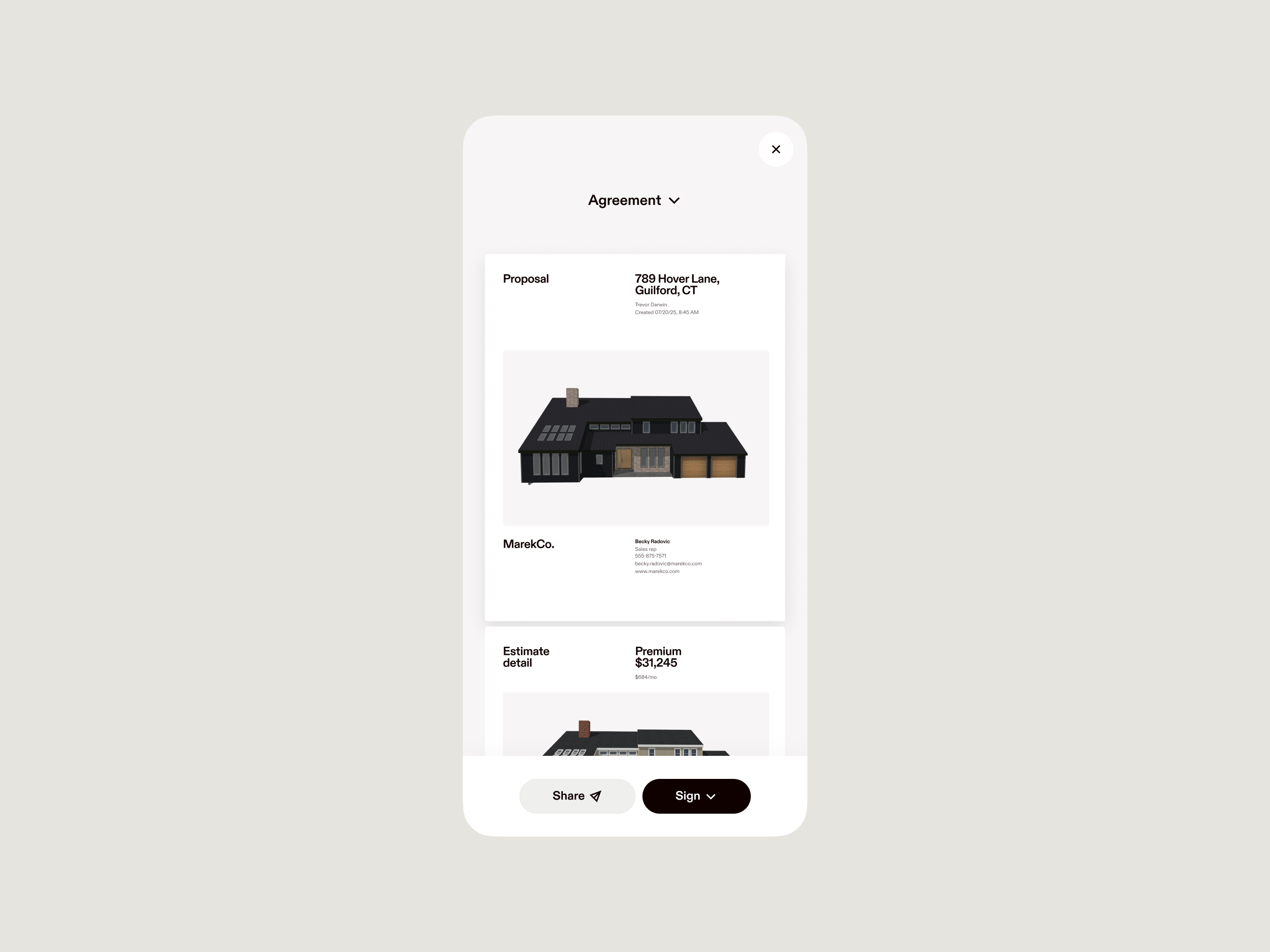
Win more projects with fast, accurate proposals built directly from your design and estimate.
Video description: Video of Hover Estimate options that convert to a customer Proposal and e-signature
Close deals faster
Seamless workflow
Automatically pull designs, pricing, materials, and measurements from Hover Estimates.
Field-ready sales
A process that’s optimized for tablets and mobile. Reps can generate several proposals, including visuals, on the spot.
Polished results
Add logos, adjust terms, and much more to customize proposals for your business.
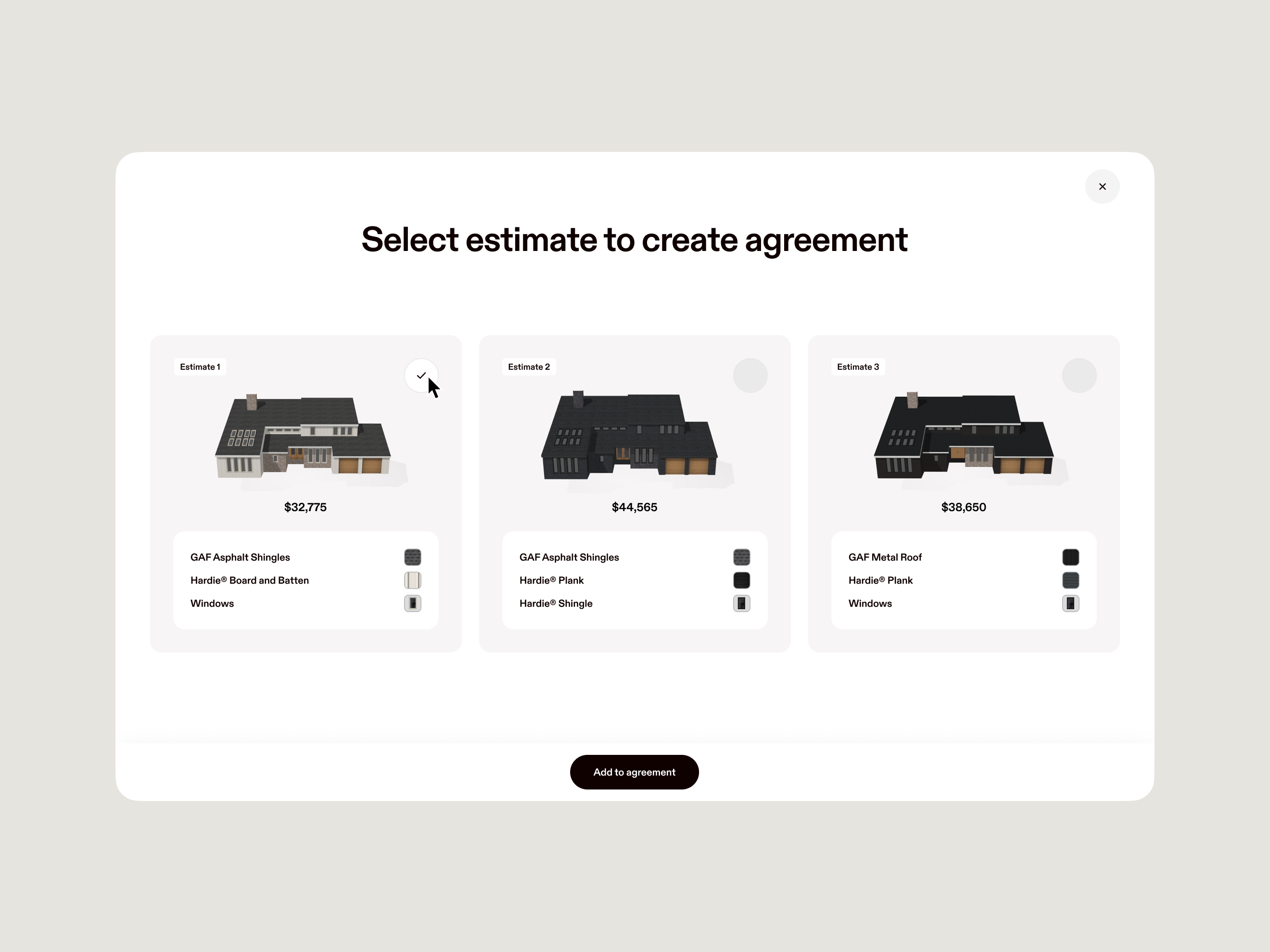
Convert designs to estimates
- Automatically turn your 3D designs into accurate sales pricing and production costs.
- Include labor, materials, taxes, markups, discounts, and financing options.
- Configure waste factors, coverages, and line items to match the way you bid work.
Video description: Video showing Hover Estimate to Proposal flow from 3D designs
Evaluate every option
- Use Good-Better-Best comparisons to visualize all of the possibilities and help customers make decisions.
- Show or hide details you include for the homeowner.
- Easy editing functionality to create proposals faster.

Sign off onsite
- Be prepared for on-the-spot approvals with a mobile-friendly experience.
- E-signatures simplify the process and move the deal to closed even faster.
Proven to grow your business
10M+
homes scanned by Hover.
300K+
construction professionals trust Hover.
5
minutes to scan a home exterior.
Try Hover Pro
Unlimited simple projects, premium features like Hover Design and Estimates, and automatic volume discounts for your busiest seasons.
FAQ
Hover Proposals helps you create fast, professional, ready-to-sign proposals built directly from your design and estimate—so you can close confidently without rebuilding the job.
You can create a proposal seamlessly from the Estimates view. Hover carries the same project data forward so you don’t have to re-enter information or worry about inconsistencies.
Yes. You can hide or reveal relevant information (like totals, line items, or notes) so the proposal matches your selling style and the level of detail you want to present.
Yes. You can customize proposal branding and include the content you need (including terms), so the proposal looks professional and consistent with your business.
Yes. Hover supports side-by-side options, including Good/Better/Best comparisons, to help homeowners evaluate choices and make decisions faster.
Yes. Hover Proposals is designed for mobile and tablets, and e-signatures help simplify sign-off so you can move from proposal to closed deal faster—often while you’re still onsite.
Hover supports e-signatures as part of the proposal workflow, making it easier for homeowners to approve and for you to keep momentum.
Proposals are built from the same project data used in design and estimating, which helps keep pricing and scope consistent—even when you’re producing proposals quickly.
Hover Proposals is built for exterior and restoration sales teams—especially sales managers and reps who need speed, professionalism, and a clear path from estimate to signature.
Estimates are for building the project plan and numbers. Proposals are the customer-facing output—professional, on-brand, and ready to sign—generated from the estimate.