<img height="1" width="1" style="display:none" src="https://www.facebook.com/tr?id=1167250619961713&amp;ev=PageView&amp;noscript=1">
Skip to main content
(844) 754 6837
Help Center
Homeowners
Pricing
Log in
Get in touch
Try for free

Measure, design, and estimate all in one placeMeasure, design, and estimate all in one place

The construction and insurance platform used for millions of home improvement projects.

Try it for free

Video description: A horizontal phone screen shows how to scan the exterior of a home.

Step 1

Scan to start your model

Turn any property into an accurate 3D model, no special equipment or training required.

Try now

Video description: A vertical phone screen shows detailed measurements both over a 3D model of the home and collected helpfully at the bottom of the screen.
Step 3

Get accurate measurements

Explore detailed measurements right from your 3D model. Save time, reduce waste, and eliminate errors.

Explore Hover Design

Video description: A vertical phone screen shows a 3D model of a home that's in the process of being redesigned in different dark gray sidings.

Step 2

Design with real materials

Visualize real products on your 3D model and explore 2D photo-real designs created by you.

Explore Hover Measurements

Video description: A vertical phone screen shows a 3D model of a home that's in the process of being redesigned in different dark gray sidings.

Step 2

Design with real materials

Visualize real products on your 3D model and explore 2D photo-real designs created by you.

Explore Hover Measurements

Video description: A vertical phone screen shows detailed measurements both over a 3D model of the home and collected helpfully at the bottom of the screen.

Step 3

Get accurate measurements

Explore detailed measurements right from your 3D model. Save time, reduce waste, and eliminate errors.

Explore Hover Design
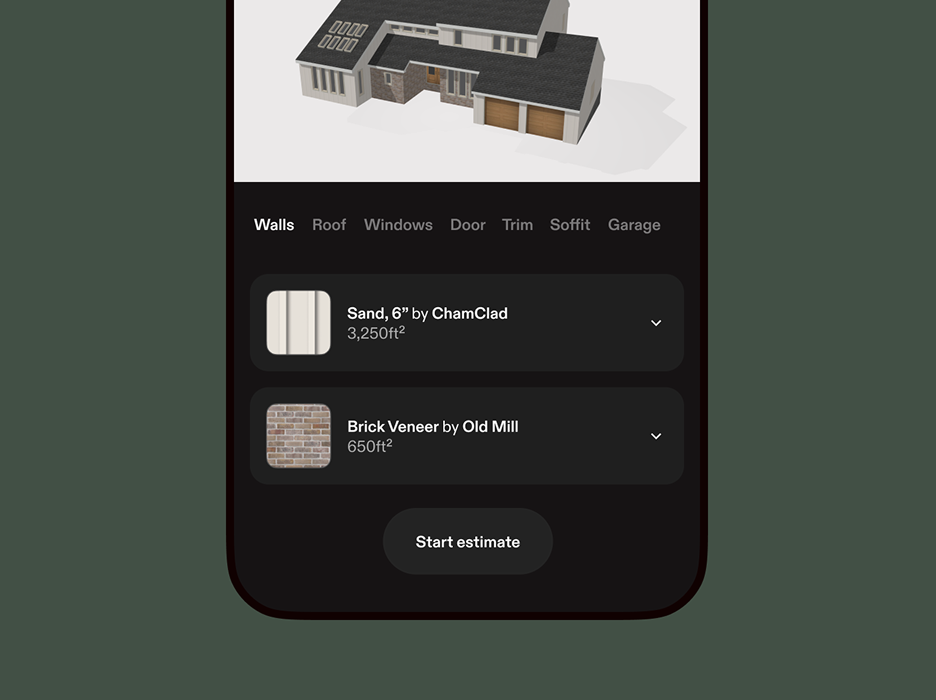
A phone screen shows a list of materials from a Hover Design, followed by the process of starting an estimate to bring the renovation to life.
Step 4

Calculate estimates with confidence

Estimate costs based on your designs, then create production-ready material lists and proposals.

Explore Hover Estimates
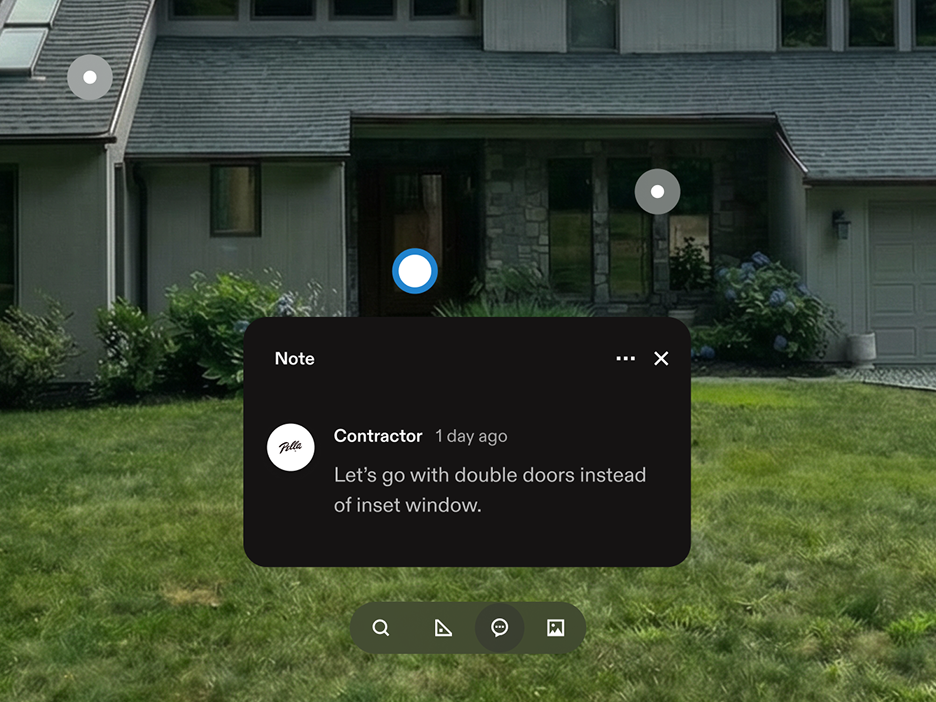
A pop up over a home shows a contractor leaving notes for his team.
For insurance

Document every step of the way

Track project progress with photos, flag issues, and collaborate on tasks with your team.

Explore Hover Inspections

Use brands you trust

Are you a manufacturer?
Send a message to partner with us.

  • Owens Corning logo
  • JamesHardie logo
  • LP Building Solutions logo
  • Certainteed logo
  • SRS Distribution logo
  • ABC Supply Co. Inc. logo
  • QXO Logo
  • EDCO logo
  • GAF logo
  • Malarkey Roofing Products logo
Last week, I measured 12 houses. That used to take 24 hours. With Hover, I spend 20 minutes at a house.Last week, I measured 12 houses. That used to take 24 hours. With Hover, I spend 20 minutes at a house.

Pete Campanile, Peninsula Siding Company
San Mateo, CA

Hover by the numbers

300K+

construction pros trust Hover.

22B+

square feet measured and modeled.

1 min

average customer service response time.

Integrated everywhere

Hover fits right into your CRM, estimating, and marketing tools to amplify your existing workflow.

  • Acculynx logo
  • Xactimate logo
  • Cotality logo
  • ServiceTitan logo
  • Salesforce logo
  • JobNimbus logo
  • ABC Supply Co. Inc. logo
  • SketchUp logo
  • Logo for Leap
  • Roof Hub logo

Sign up and try for freeSign up and try for free

Sign up
Log in