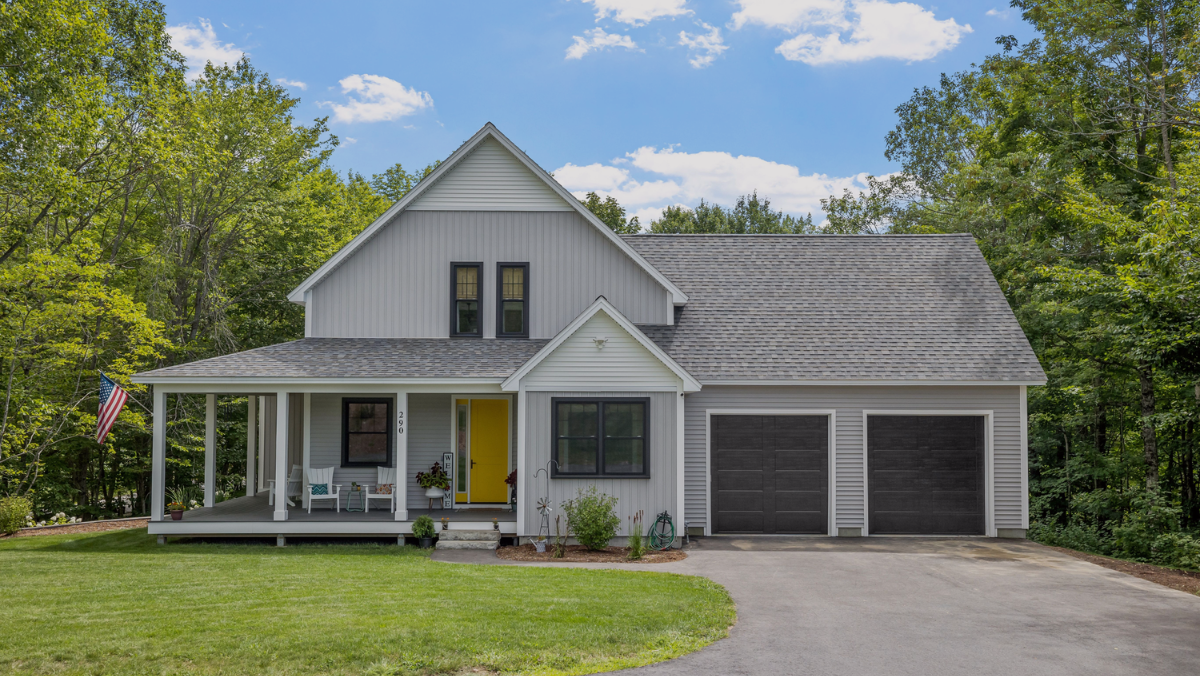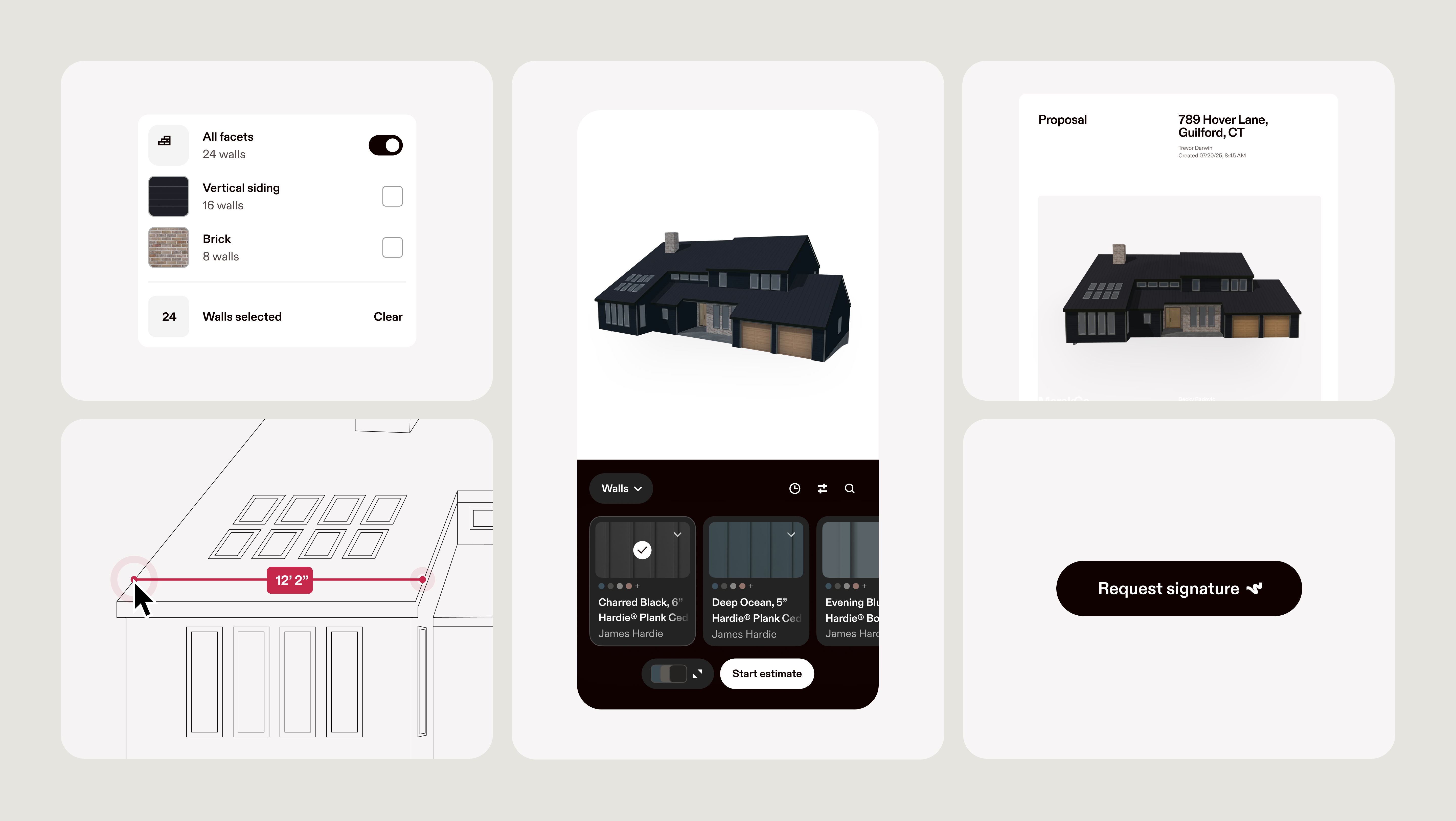
Learn how to use Hover’s new platform to move your business forward. See how our single, visual workflow integrates 3D measurements, design, estimates, and proposals.
One platform. Less friction.
You already have enough tools to manage.
Hover’s new connected platform replaces disconnected apps with one reliable solution for measuring, designing, estimating, and bidding. Powered by our proprietary 3D property technology and industry-leading spatial database of over 10 million homes, Hover now puts every feature you need into a single, end-to-end, visual workflow. No more manual data transfer, errors, or time wasted navigating multiple apps. Just one platform that takes you from first contact to signed contract, with the integrations you value most.
Hover Live: Online Training
Join our upcoming online training sessions to see the new Hover in action and get your individual questions answered by our team of experts.
Or tap into the Hover Help Center for quick tutorials and video walkthroughs that show you exactly how each part of the workflow below fits together.
Construction Project Details page
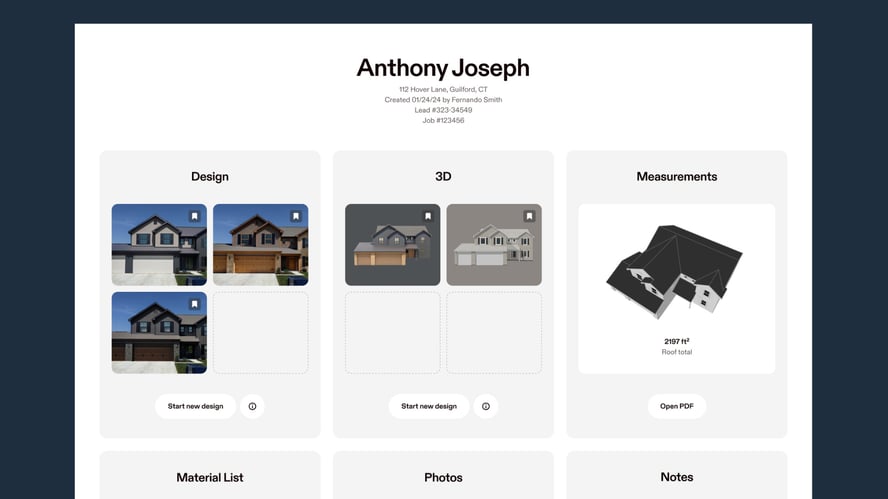
It all starts on the Project Details Page (PDP). Every job gets its own page, making it easier to find all the project information you need. Simply click on the card for the job details you need—whether it’s measurements, 2D or 3D design, estimates, proposals, photos, and more. We’ve also added simple job status indicators so you can see where a project stands.
Hover Workspace
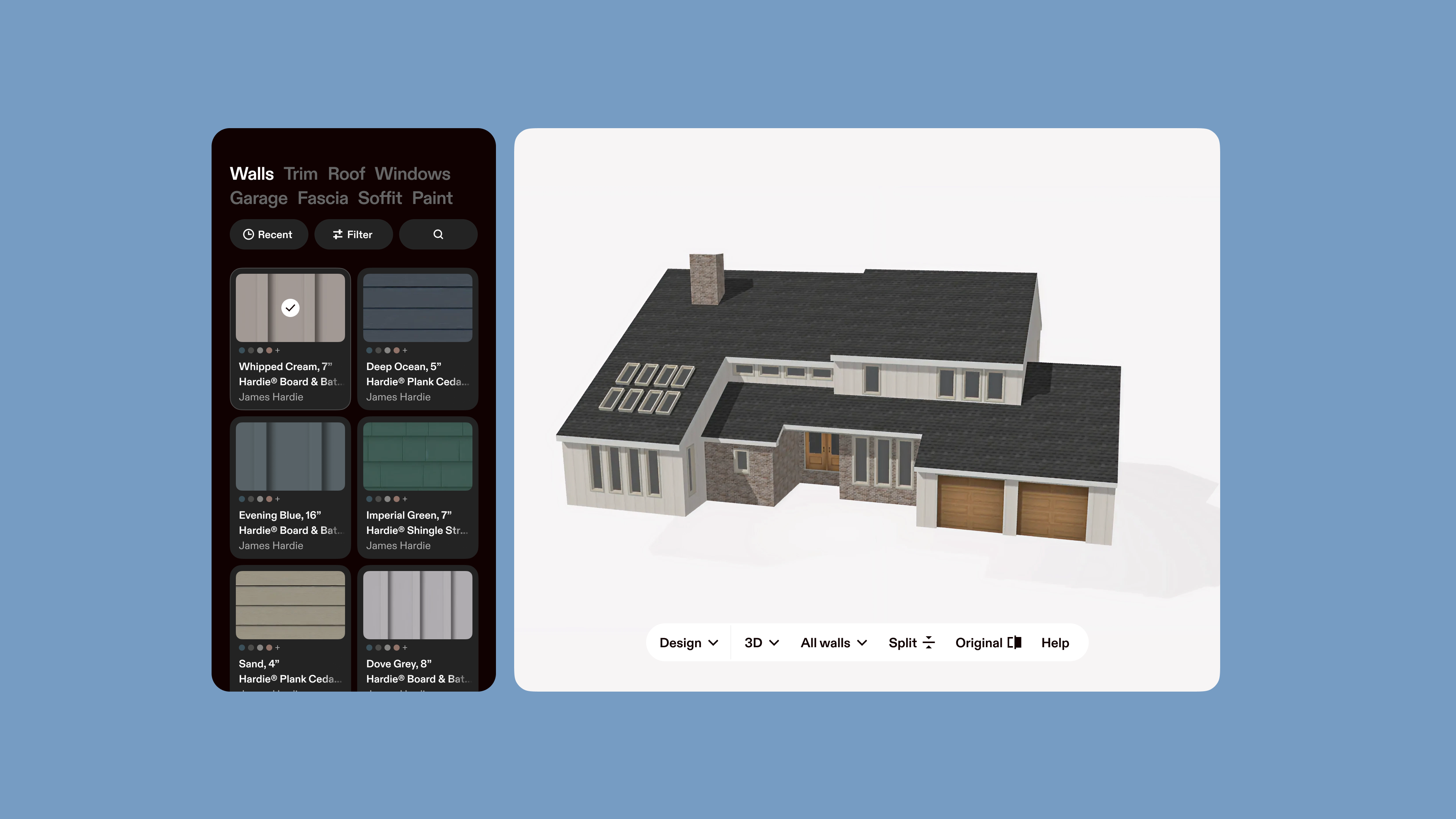
This is where Hover does all the heavy lifting. Start with Hover’s property measurements, then design and choose materials, and scope the project from every angle. With design, measurements, and estimates together on one screen, you can work through a project from picture to proposal without changing tools.
2D and 3D Design
Get started from the Project Details Page by clicking on the Design card, or choose either 2D Design or 3D Design in the Hover Workspace.
- Start the conversation in 2D mode by creating quick, photorealistic designs from a single photo.
- Users can easily navigate back and forth between 2D to 3D design. Now in beta, Hover will automatically transfer material choices over (one material per trade).
- Leverage the full home scan to view and edit the property in 3D mode. Hover will connect your design choices directly to the estimate.
3D Measurements
Measurements mode pairs the 3D model with measurements, so you review the numbers and surfaces together without jumping between tools.
Automated Estimates
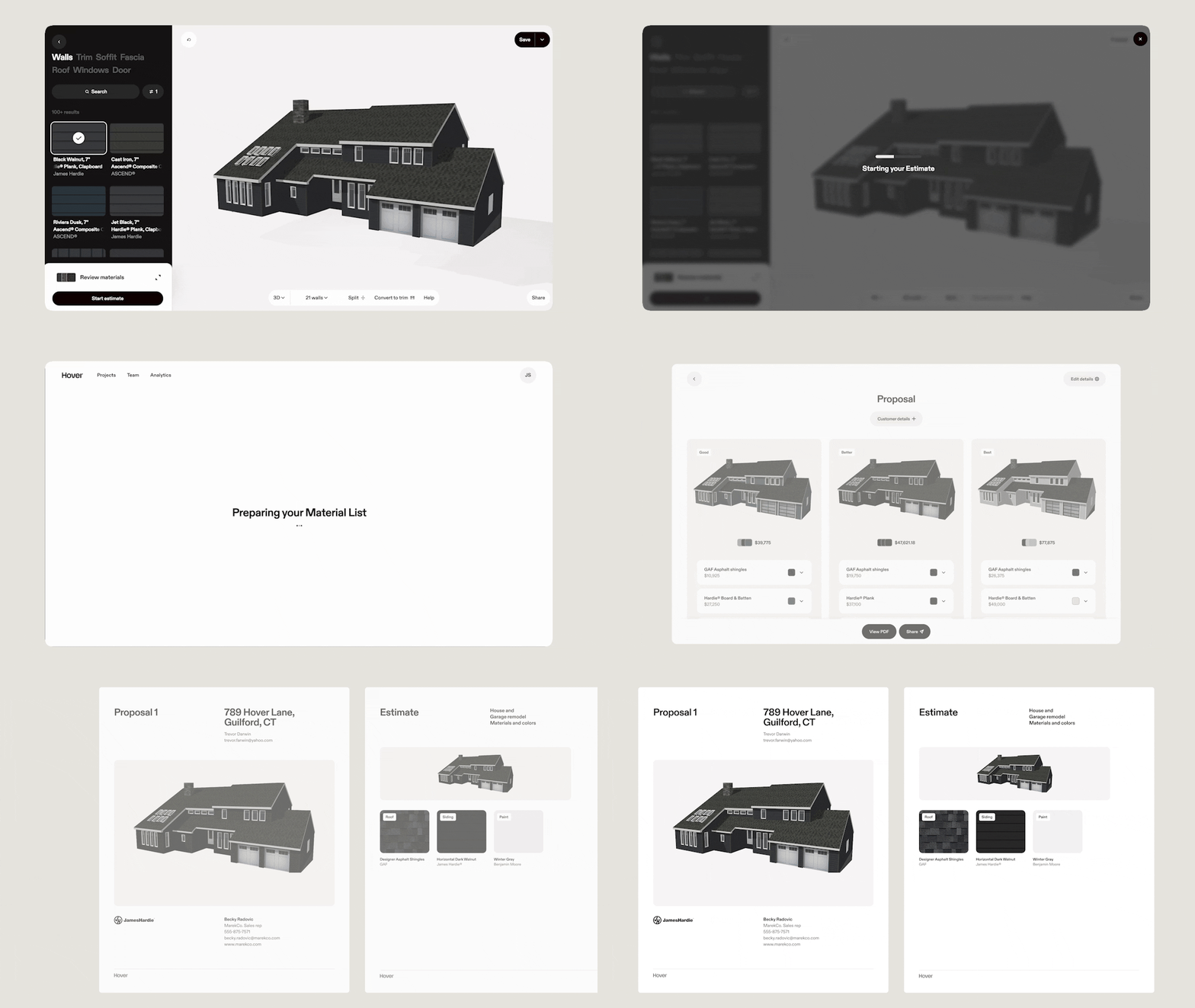
You might formerly know this as Material Lists. Here’s where Hover generates production-ready material lists and estimates based on your measurements. You can also adjust margins, add in financing and promotions, and line items like dumpsters and labor. Once you’ve input your customized data, simply click Start Proposal.
Depending on where you are in the workflow, you can start an estimate from the Project Details Page or Workspace.
Complete Proposals
Hover proposals are automatically created from your estimates. No reentry required. You can easily compare different project design and estimate packages and give your homeowner the confidence to sign on the spot.
More questions? The Hover support team is here to help, whether you’re in the office or on the job. Weekdays 7AM-10PM ET and Weekends 8AM - 8PM ET.