Yes—and for most contractors, that's where the conversation gets interesting.
Hover connects with 1,000+ individual integrations across the tools contractors already use: CRMs, estimating platforms, material suppliers, and project management systems. If you're running your business on AccuLynx, JobNimbus, or a similar platform, there's a good chance Hover already talks to it.
But there's a different question worth asking alongside this one: what if you didn't need a separate proposal or estimating tool at all?
How the integrations work
Hover's measurement data—285 measurements per scan on average, covering soffits, trim, gutters, windows, and openings that aerial options routinely miss—exports cleanly into connected platforms. That means no re-keying numbers, no manual handoff between your measurement and your estimate, no version control headaches when scope changes.
For teams already invested in a specific estimating workflow, this is additive. Hover drops into your existing process, improves input accuracy, and gets out of the way.
If you want the specifics on which platforms are connected, the integrations page has the full list. If a tool you rely on isn't there, the API lets your team build the connection directly.
What Hover does natively and why it matters for agreements
Here's where the integration question gets more nuanced.
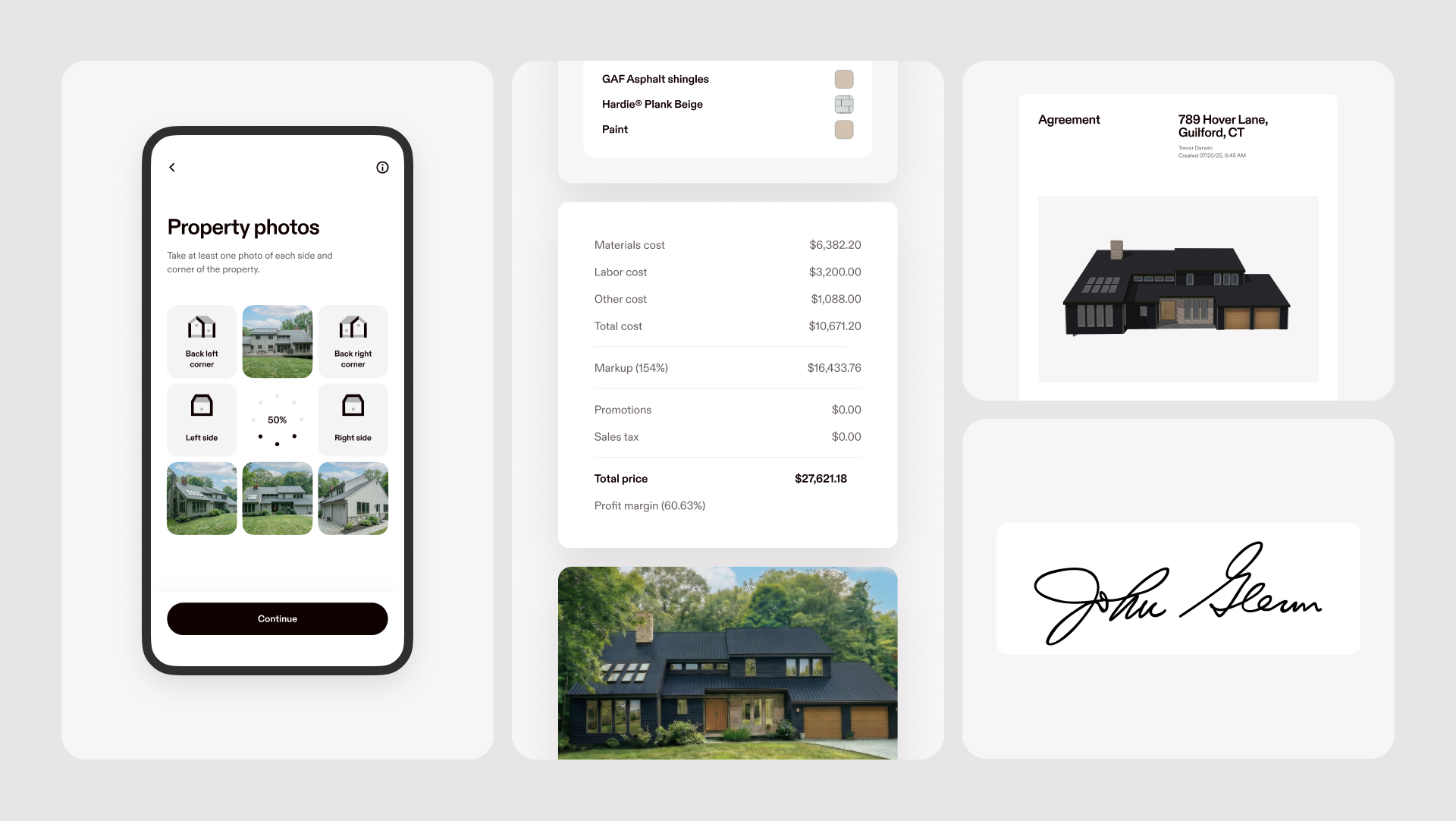
Hover's Estimation and Agreements features are built into the platform, not bolted on. From a single scan, a rep can:
- Build an estimate with accurate material quantities derived directly from the measurements
- Configure good, better, and best pricing options
- Show or hide line items based on what the homeowner wants to include
- Add contract variables—customer name, deposit amount, project dates—that populate automatically
- Present a branded proposal with your logo and your terms
- Collect a digital signature before leaving the appointment
That's the full agreements flow. No third-party proposal software required. No exported PDF emailed to a homeowner who then prints it, signs it, and scans it back three days later.
For contractors who are already stitching together a measurement tool, an estimating platform, and a separate e-signature solution, collapsing those into one connected workflow tends to change the math pretty quickly.
So: integrate, replace, or both?
It depends on where your team is.
If you have a purpose-built estimating platform your ops team has invested in with custom pricing tables, specific workflows, and integrations with your supplier, keeping that and connecting Hover is a completely reasonable approach. You get the measurement accuracy without disrupting everything else.
If you're running estimates in spreadsheets or using a proposal tool that isn't connected to your measurement data, Hover's native Estimation and Agreements features are worth a serious look. The time spent manually moving numbers is the kind of thing that seems manageable until you see what it looks like when it's gone.
If you want to close more deals at the appointment and not two days later via email, having your estimate and your agreement in the same place as your measurements isn't optional. It's just the most direct path.
Where to start
If you're evaluating whether Hover fits your current stack, the fastest answer comes from running one job end-to-end: scan, estimate, agreement, signature. The integrations page covers what connects natively, and the sales team can walk through anything that needs a custom setup.